

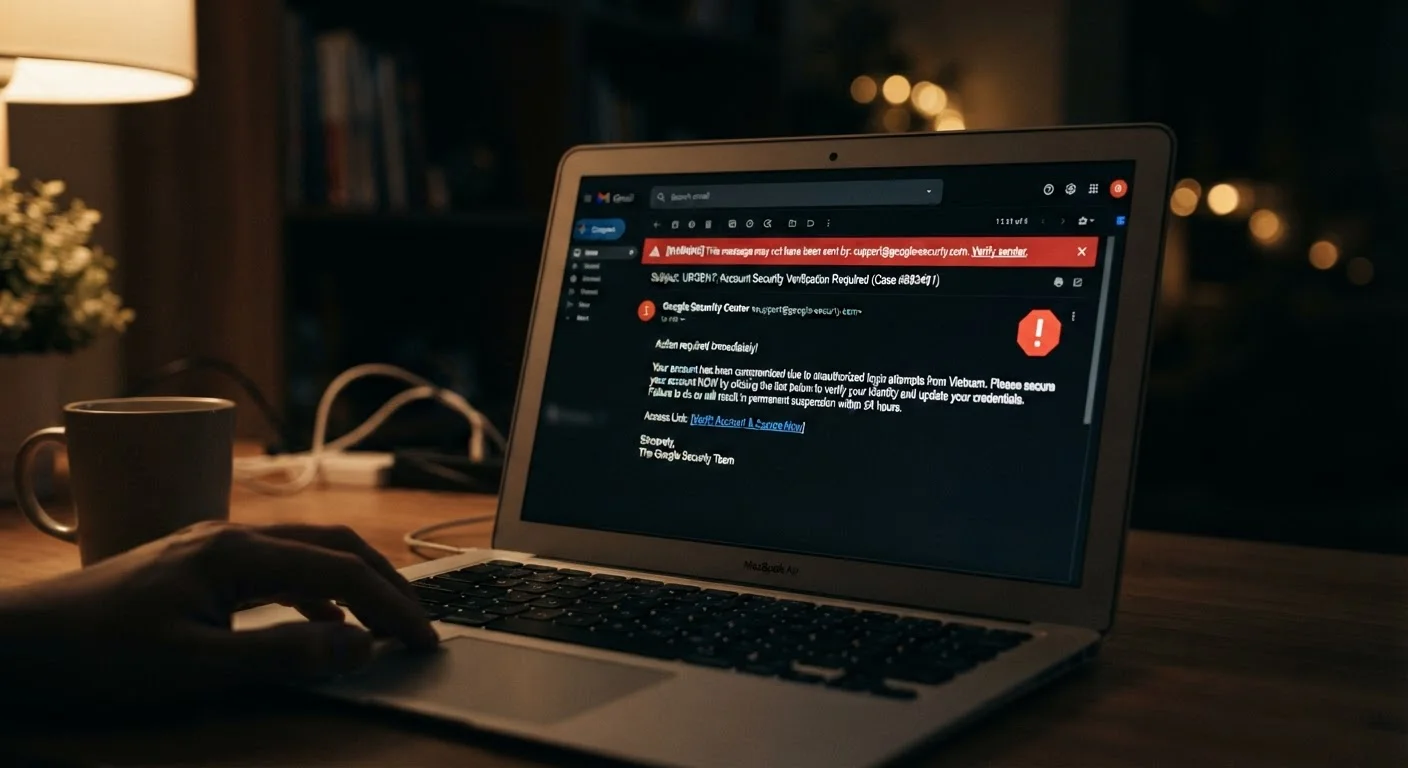
Why phishing works on careful people
Phishing has changed. The old version, a misspelled email from a foreign prince, was easy to dismiss. Today's version copies a real company's email template precisely, arrives from an address that looks almost right, and presents a scenario that feels plausible and urgent. The gap between a phishing email and a legitimate one has narrowed to a few small details that most people are not trained to notice.
Attackers study the companies they impersonate. They pull real logos, match brand colors, and replicate standard footer language. They also time campaigns around events that make their messages feel expected, such as tax season, shipping windows around holidays, or periods when banks typically send statement notices. A reader who receives what looks like a FedEx delivery alert while waiting for a package is already primed to believe it.
The psychological dimension matters as much as the visual one. Phishing messages are built to activate two responses: urgency and fear. A message saying your account has been suspended, a charge is pending, or your package cannot be delivered unless you confirm your address bypasses careful thinking because it triggers an instinct to fix the problem fast. For more on how your data gets collected and used to build these targeted scenarios, see our article on how websites track your behavior online.
3.4 billion
Phishing emails sent every day worldwide
According to estimates cited by the Cybersecurity and Infrastructure Security Agency (CISA), phishing is among the most common forms of cybercrime by volume.
36%
Share of data breaches involving phishing
The Verizon Data Breach Investigations Report has consistently identified phishing as one of the leading initial attack methods across multiple annual editions.
74%
Attacks involving a human element
The same Verizon report found that the large majority of breaches involve a person clicking, entering credentials, or otherwise engaging with deceptive content.
The mistakes that let phishing succeed
Most successful phishing attacks do not exploit technical vulnerabilities. They exploit predictable human responses. Understanding which mistakes create the opening is the fastest way to close it.
Trusting an email because the logo and formatting look professional.
Why it happens: Modern phishing emails copy the exact colors, fonts, and layout of real company communications, making visual appearance an unreliable signal.
Clicking a link because the URL preview appears to contain a familiar domain name.
Why it happens: Attackers embed recognizable names inside longer URLs (for example, 'amazon.account-verify.com'), and readers often stop reading after spotting the familiar word.
Acting immediately on messages that claim your account will be locked or a charge will post soon.
Why it happens: Urgency and fear are effective because they push people to act before thinking. Phishers design these prompts deliberately to compress your decision time.
Assuming an email is safe because it came from a known contact.
Why it happens: Attackers compromise real accounts and send phishing messages from them, so the sender's name and address look completely genuine.
Entering credentials on a site after clicking an email link because the page looks correct.
Why it happens: Fake login pages are built to mirror real ones pixel-for-pixel. Readers assume the site is legitimate because the visual design matches what they expect.
Ignoring or deleting suspicious emails without reporting them.
Why it happens: Reporting feels like extra work, and many people do not know the option exists or believe it makes no difference.
Never click links in unexpected security alerts
Legitimate banks, government agencies, and major online services will not send you an unsolicited email demanding immediate action on your account. If you receive such a message, go directly to the organization's website by typing its address into your browser. Clicking the link in the email is the step that puts you at risk.
If you share a device or account with children, the risk compounds. A child who clicks a fraudulent link can expose household data just as an adult can. Our guide on protecting kids online covers how to set expectations and reduce that exposure.
What to do when you suspect a message is fraudulent
Suspicion is useful only if you act on it correctly. The wrong response is to click the link to see where it goes, because that action can be enough to trigger a download or confirm your email address to the attacker.
The right sequence is straightforward. Do not click any link or download any attachment. Do not reply to the message. If the email claims to be from a company you actually use, go to that company's website directly by typing its address into your browser, log in, and check whether the issue it described actually exists. If it does not, the email was fraudulent.
If you believe you clicked a link or entered information before recognizing the threat, change your password for the affected account immediately, enable two-factor authentication if it is not already active, and watch your account for unfamiliar activity. If the account is financial, contact your bank or card issuer directly using the number on the back of your card.
Phishing is one of several risks that come with being online. The habits that protect you against it, such as verifying sources and avoiding impulsive clicks, also reduce exposure on networks outside your home. Our article on public Wi-Fi security risks explains which threats matter most in those environments and which ones are overstated.
Personalized emails are not automatically trustworthy
Seeing your full name, employer, or recent activity referenced in an email does not confirm it is real. Attackers gather personal details from data breaches, social media profiles, and public records. A message that knows your name can still be a phishing attempt. Treat personalization as a detail to notice, not as proof of legitimacy.


